Шаг 1. Создание проекта
Создайте проект в каталоге FilliEx.
Linux:
$ fillipost-cli create your_path/FilliEx
Windows:
$ fillipost-cli.bat create your_path/FilliEx
Шаг 2. Создание шаблона
Перейдите в папку your_path/FilliEx/patterns/. Создайте файл main.liquid.
Скопируйте и вставьте следующий код:
<meta name="viewport" content="width=device-width, initial-scale=1">
<meta charset="UTF-8">
<title>{{ post.name }}</title>

<link href="https://fonts.googleapis.com/css?family=Roboto:900,400" rel="stylesheet">
<link rel="stylesheet" type="text/css" href="./resources/style/main.css">

{% include 'head.liquid' %}

<div id="page-content">{{ post.content }}</div>
Шаг 3. Создание сниппета
Перейдите в папку your_path/FilliEx/snippets/. Создайте файл head.liquid.
Скопируйте и вставьте следующий код:
<link rel="stylesheet" type="text/css" href="./resources/style/head.css">
<div id="page-head">
	<div id="page-head--title"><h3>Example</h3></div>
</div>
Шаг 4. Создание файлов CSS
Перейдите в папку your_path/FilliEx/resources/style/. Создайте файлы head.css и main.css. Скопируйте и вставьте в main.css следующий код:
margin: 0;
font-family: 'Roboto Regular', sans-serif;
}
#page-content {
margin-left: 50px;
margin-right: 50px;
margin-top: 120px;
}
Скопируйте и вставьте в head.css следующий код:
overflow: hidden;
position: fixed;
width: 100%;
top: 0;
}
#page-head--title {
background-color: #3F51B5;
height: 50px;
color: white;
line-height: 50px;
text-indent: 10px;
}
#page-head--title h3 {
margin-top: 0px;
}
Шаг 4. Создание поста
Перейдите в папку your_path/FilliEx/posts/. Создайте файл example.md.
Скопируйте и вставьте следующий код:
---
{
  "post": {
    "name": "Example",
    "pattern": "main.liquid"
  }
}
---
# Hello FilliPost !
Шаг 5. Сборка и запуск
Собирите проект командой build
Linux:
$ fillipost-cli build your_path/FilliEx
Windows:
$ fillipost-cli.bat build your_path/FilliEx
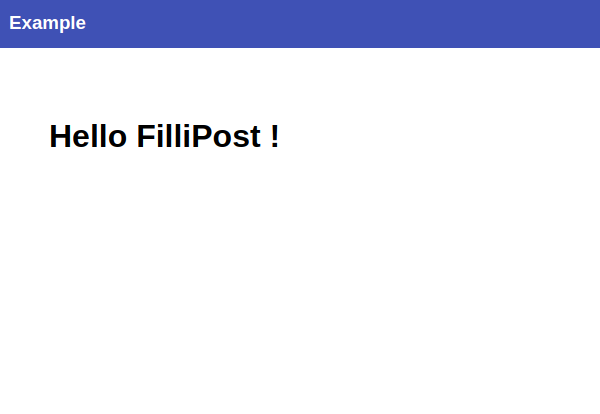
Перейдите в папку your_path/FilliEx/build/. Откройте в браузере файл example.html